CLI Agentic Coding Assistant
What is Claude Code:
Architecture:
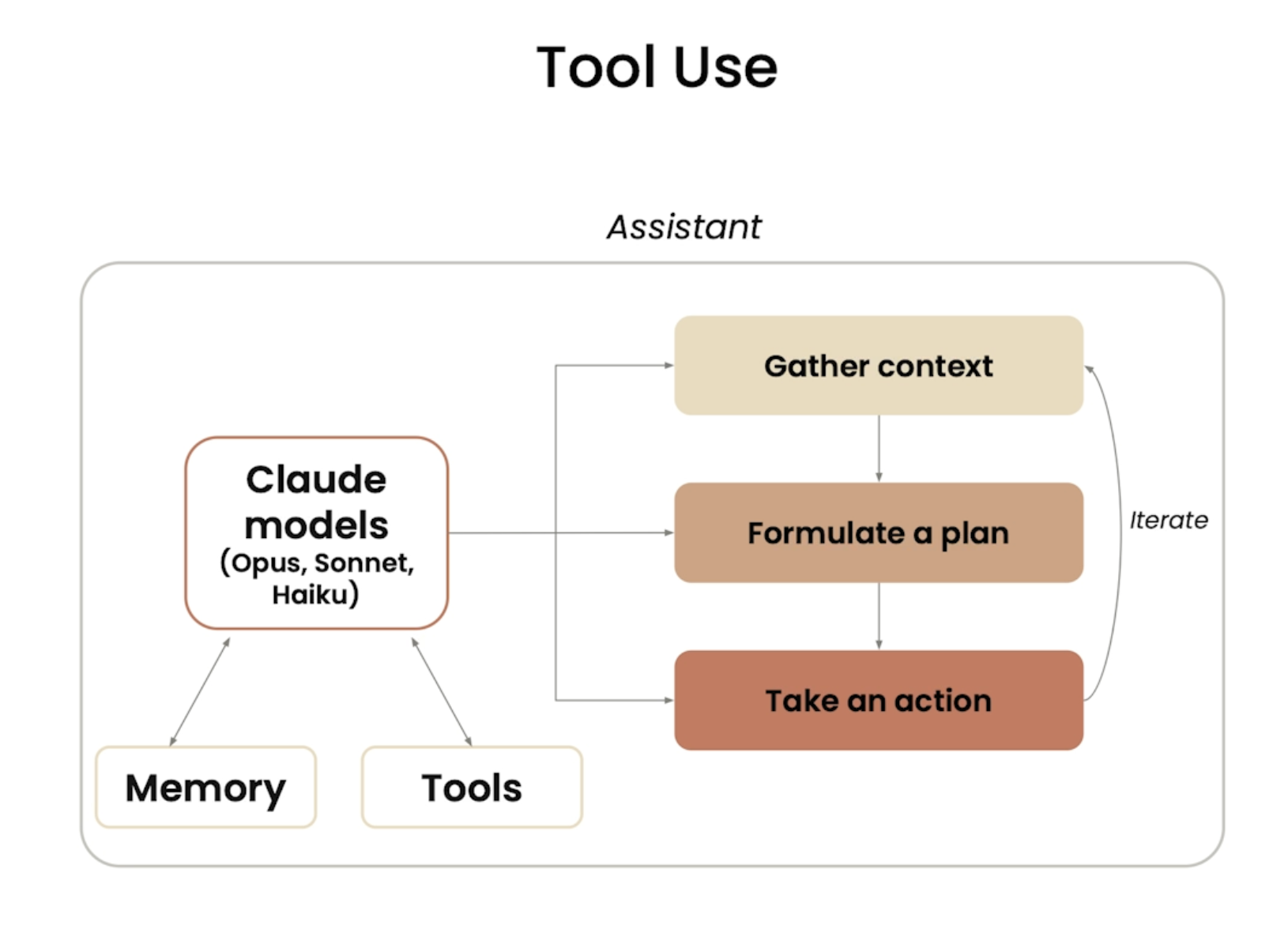
Agentic System:
Has a Model, set of tools and some environment to run the tools
- Models are great at handling inputs and returning outputs, but in many situations the models don’t know about our codebase, how to find files and how to handle multiple files
- Hence, the Claude CLI provides a lightweight harness (Additional functionalities, tools and environment) for the model to leverage the model’s intelligence to perform complex coding tasks
Tool Use
- When a user asks “What code is written in a particular file ?”
- The model doesn’t know how to navigate or find files, this is where the tools come in
- Claude has a set of built-in list of tools, one of the being the ability to read a file. Using this, the model can go and read the file, get the contents and return the data to the user
- This tool use ability allows the model to go from a simple assistant to an extremely sophisticated agentic tool
- We can add additional tools by connecting to MCP servers (Model Context Protocol - Open source model agnostic protocol that allows for data and AI systems to communicate easily)
Claude Code doesn’t entirely index the codebase:
- Indexing a codebase means creating a searchable structured representation of the codebase
- Indexing often requires sending the codebase to a server to be indexed
- Claude code doesn’t’ index our codebase, it stays local
You: "Where does the app handle login?"

Claude's brain: "Login... I should look for files with
                'auth', 'login', 'session' in the name or content"

Claude runs: grep -r "login" ./src
Claude runs: find . -name "*auth*"
Claude runs: cat ./src/auth/login.js   ← reads only this file

Claude: "Found it! Here's the login handler in src/auth/login.js..."
Claude’s Memory:
Memory across sessions (claude.md):
- We can define our style guidelines and common commands in Claude.md files
- Claude.md files get automaticall loaded into Claude Code’s context when launched
/initcommand generates the CLAUDE.md file with codebase documentation- Commit to source code, shared with other engineers
CLAUDE.local.md- Not shared with other engineers, contains personal instructions and customizations for Claude
~/.claude/CLAUDE.md- Used with all projects on our machine
- Contains instructions that we want Claude to follow on all projects
Conversation history:
- Conversation history is automatically stored locally on our machine
- Can choose to clear conversation of current session, and can resume the conversation in a future session
- Past conversations are not automatically included in the context, can manually ask Claude Code to continue a previous conversation
Built-in commands:
/help- Gives a quick summary of all the commands/ide- Helps to specify the file/ line of code that we are working in our IDE in the CLI/clear- Clear conversation history (and context window) and start from scratch/compact- Clear history, but still keep a summary of itesc- Interrupt any on going Claude actionsShift + TabShift + Tab- Plan mode (Claude will do some thorough exploration and planning before writing any code)Shift + Tab- auto-accept edits (Allows Claude to execute file edits and commands without prompt interruption)/mcp- Lists all he connected MCP servers and the tools they provide-
claude --resume- To go back to a previous conversation
/hooks- Manage hook configurations for tool eventsThink a lot- This query can be added along with prompts where we want to trigger’s Claude’s ability to enable extended thinking to allocate few more tokens to the thinking process, we can also see this process
Custom commands
- We can create our own commands by creating a
commandsdir under.claudedir and add the new features inside - E.g.
implement-feature.mdcan be created undercommands- The first line will be the description of the feature, it’ll be visible in the CLI when we search for the command
$ARGUMENTSmentions that we’ll be passing arguments along with the command and the content below is the action that needs to be performed on this command call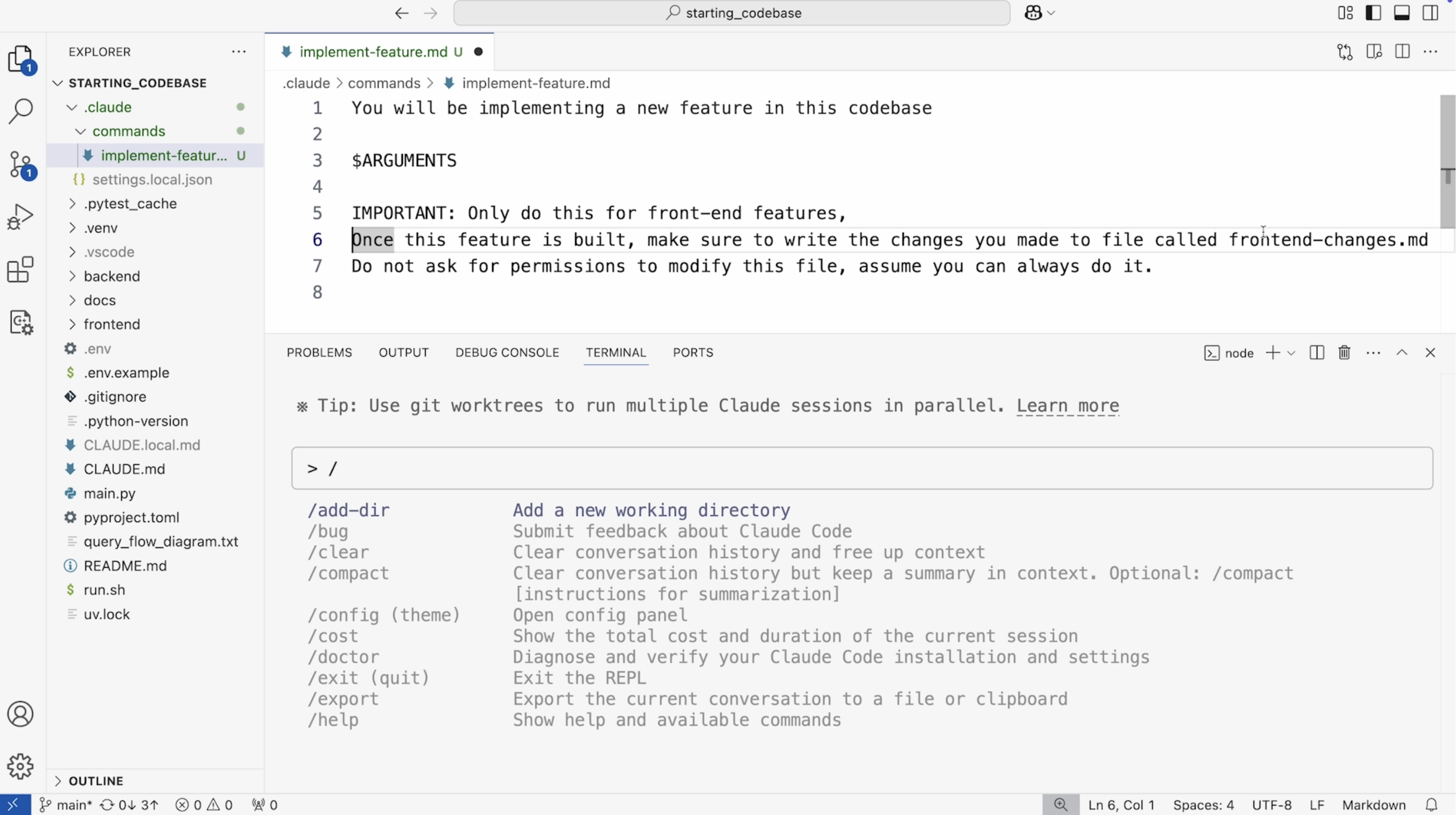
Adding new features in Code
- Claude code is only as good as the context we give it. When we ask it to make changes, it’s important to make sure we are figuring out the right files to modify (If we know which all files are to be modified, it’s better to mention them as context)
- In the planning mode, we can ask Claude to propose two different approaches using two parallel subagents
Adding multiple features Simultaneously
Git Work-trees: Work-trees allow us to create copies of the codebase, operate in isolation and in the end merge them together
E.g. workflow
- Create a new dir
.trees - Create three different work-trees to work on three different feature changes
git worktree add .trees/ui_featuregit worktree add .trees/testing_featuregit worktree add .trees/quality_feature
- Open a new terminal for each one of these work trees
- Use Claude for each one of these terminals, make all the necessary feature changes using Claude
- Ask Claude to
add and commit with descriptive message→ For all the three - Close the three terminals, go to the main terminal and ask Claude to
use the git merge command to merge in all of the worktrees in the .trees folder and fix any conflicts if there are any - We can remove the work-trees after the feature change if we want
MCP (Model Context Protocol)
MCP allows tools like Claude code to gain additional functionalities to external data sources and systems
claude mcp add playwright npx @playwright/mcp@latest→ This command adds the MCP server to Claude- Now, we can ask Claude to use the playwright MCP server to view the URL make required updates (To the features in the webpage)
Claude GitHub App
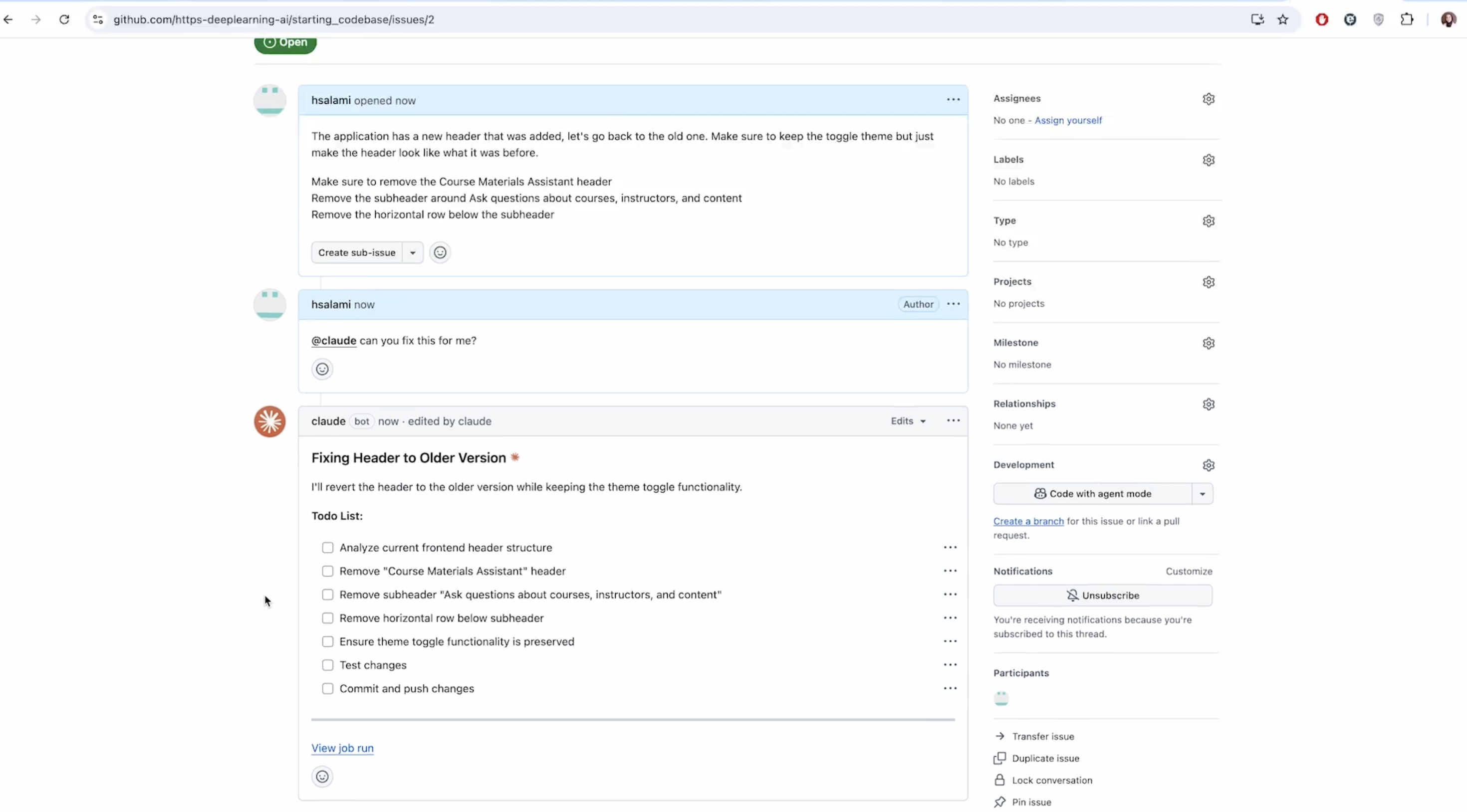
/install-github-app- To install GitHub Integration for the current repo we’re working in- Helps to use Claude in PRs, issues, fix errors, respond to feedbacks, modify code etc.
- Create a long-lived token (Part of the set-up process)
- We can then ask it to make PRs etc (It’ll redirect to the browser’s GitHub page)
- Claude will help us to review the PR and then we can do the final merge
- We can ask Claude to act upon any issues being created
Hooks
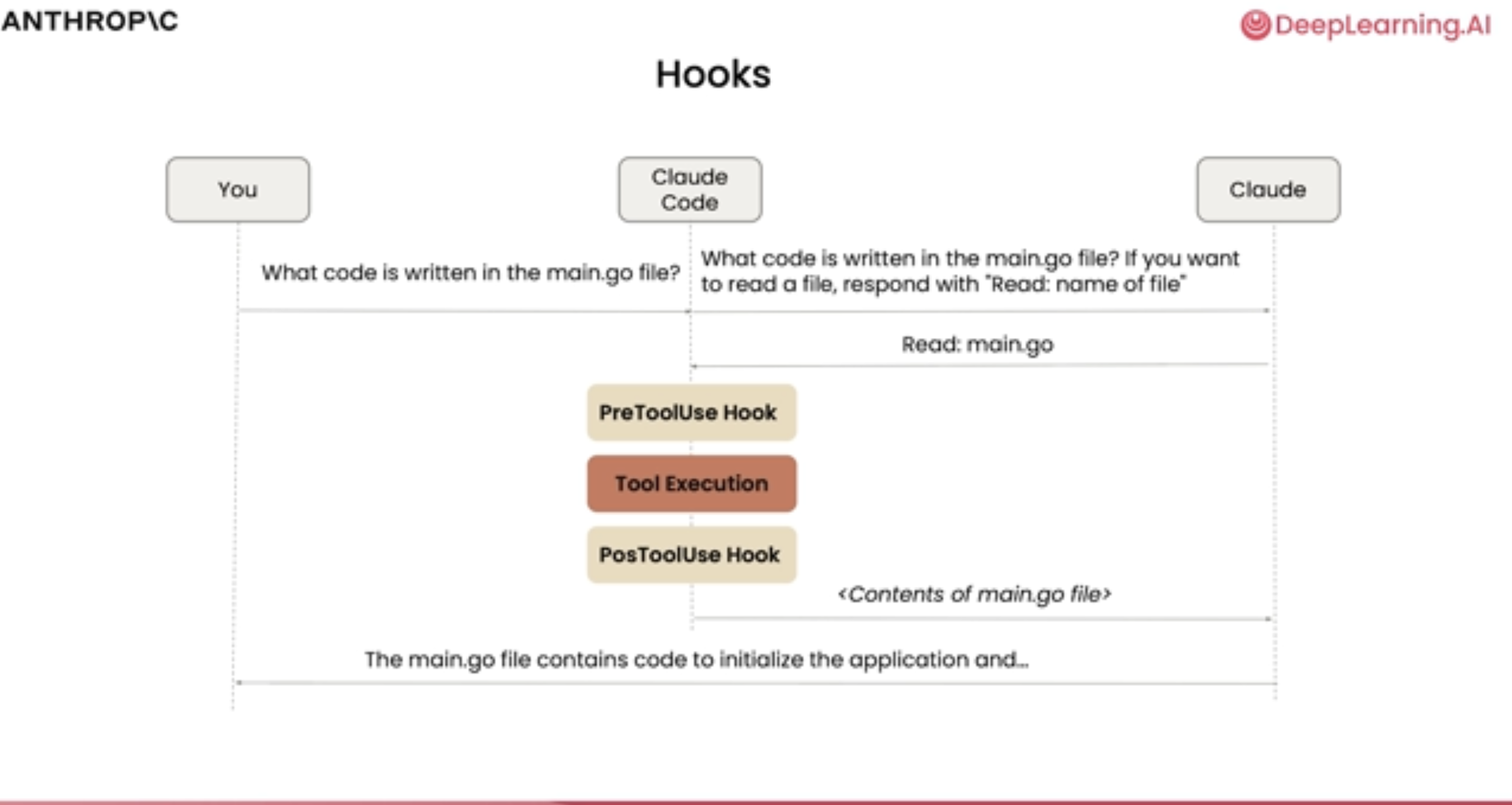
Hooks are “if this happens, then do that” rules that run automatically at specific points in Claude Code’s workflow.
- We can inject our own script to run at any point in the life cycle of Claude Codes operation (Like something after a tool or before a tool call etc.)
/hooksusage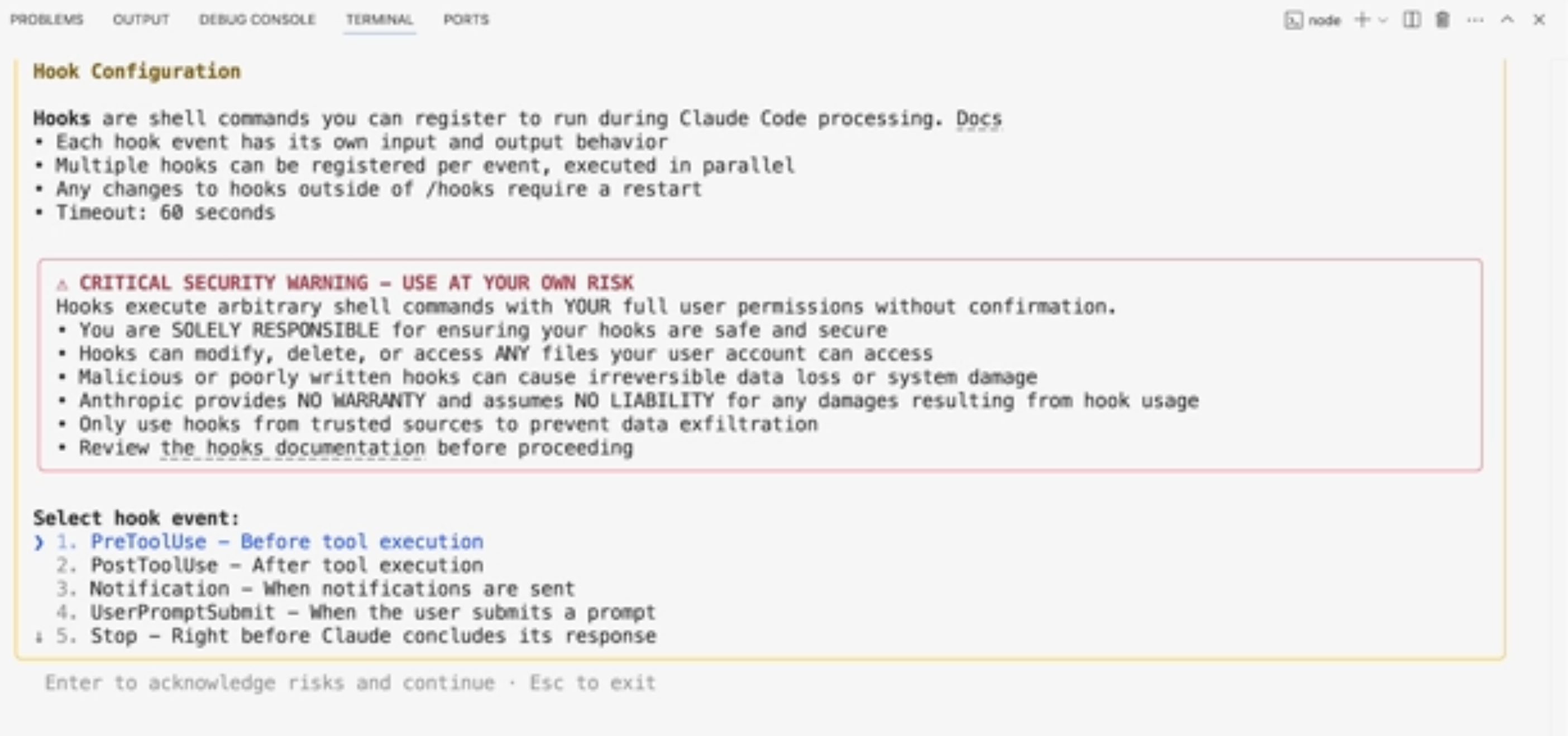
Sample use case: Claude sending out Slack messages for inputs from us, notifications on code completion etc. can be implemented with this